

Generate the cases. Keep the record.
The AI agent writes test cases from Jira, Confluence, and your templates. Import, export, and history stay with the workspace, so a draft is not a one-off chat.
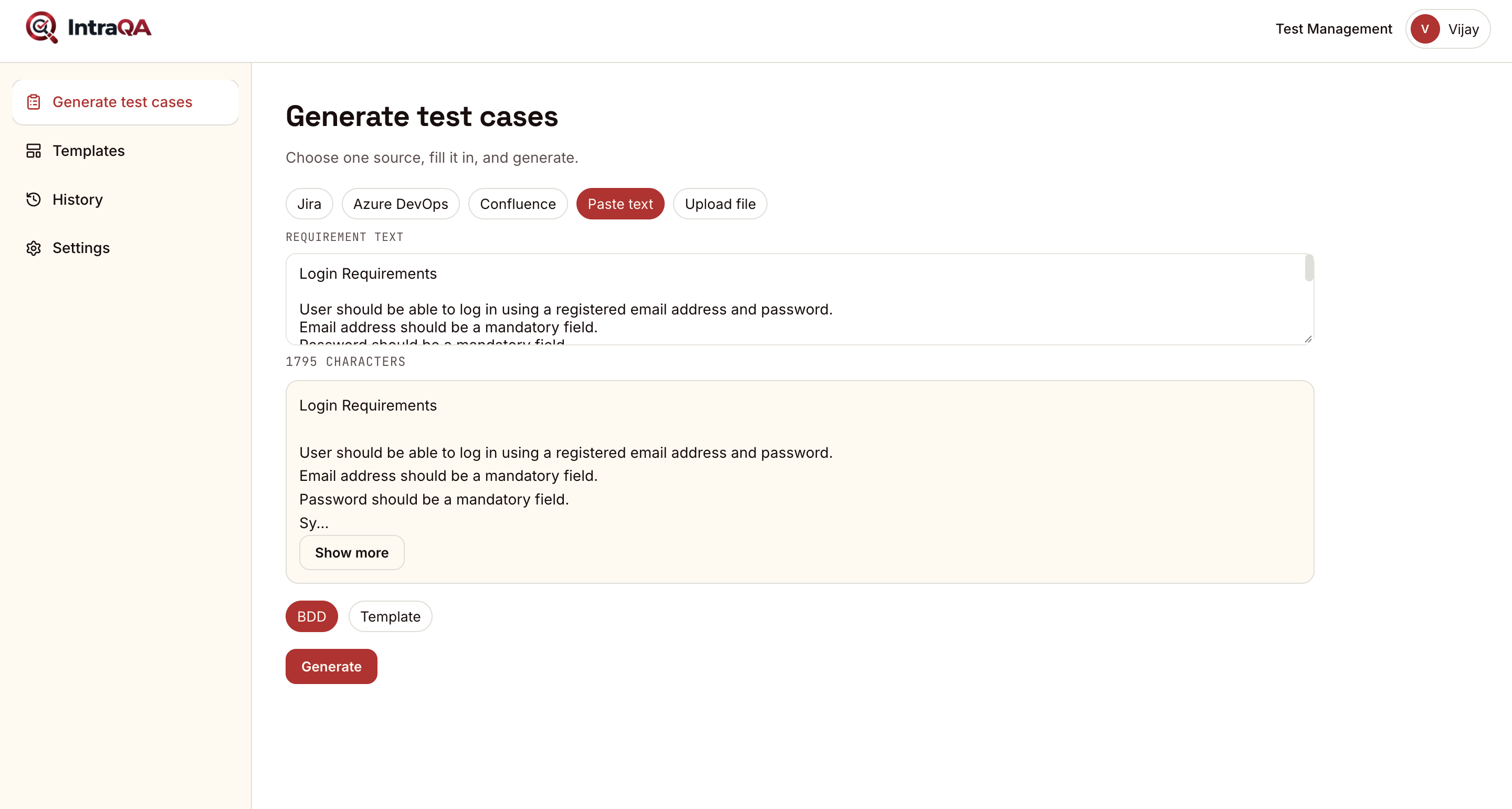
More than a prompt box.
Generation is the start. The sources, the template, and the history are what make the cases usable the week after.
Generate test cases
Turn a story, a page, or a template into cases with steps and expected results. You review them before they become the suite.
Jira
Start from the issue that is already in the sprint. The cases stay tied to the work the team is shipping.
Confluence
Use the spec that already lives in Confluence, instead of pasting it into another doc first.
Templates
Keep the shape of a case the way your team writes it. Generate into that shape, not a generic list.
Import and export
Bring cases in, and take them out when they belong in test management or in the tool you already run.
History
See what was generated, and when. A later pass does not erase the earlier one.
Settings
The workspace keeps its own setup: how cases are shaped, and which sources the team uses.
From a ticket to a case.
- 01
Bring the source.
A Jira issue, a Confluence page, a template, or a file you import.
- 02
Generate the cases.
The agent drafts the cases in the shape your template already uses.
- 03
Review the history.
Read what came back. Keep it, edit it, or generate again without losing the last version.
- 04
Export into the suite.
Send the cases on, including into IntraQA test management, when they are ready to run.
Open the AI agent.
Generate from the work you already have, then keep the cases in test management.